Search every bundle at once: okf 1.10.0
🇧🇷 Ler em portuguêsKnowledge does not stay in one bundle. There is the handbook, the service you are on call for, the repo you were in an hour ago. okf 1.8.0 gave each of them a name and let one okf server host them all, and the CLI could already ask a question across the set. The page you actually read them in could not. Standing in one bundle, the search box knew only that bundle, and a word that lived next door produced an empty canvas and no way forward.
okf 1.10.0 closes that. Press Cmd-K anywhere on a served graph and the search reaches every bundle the hub hosts.
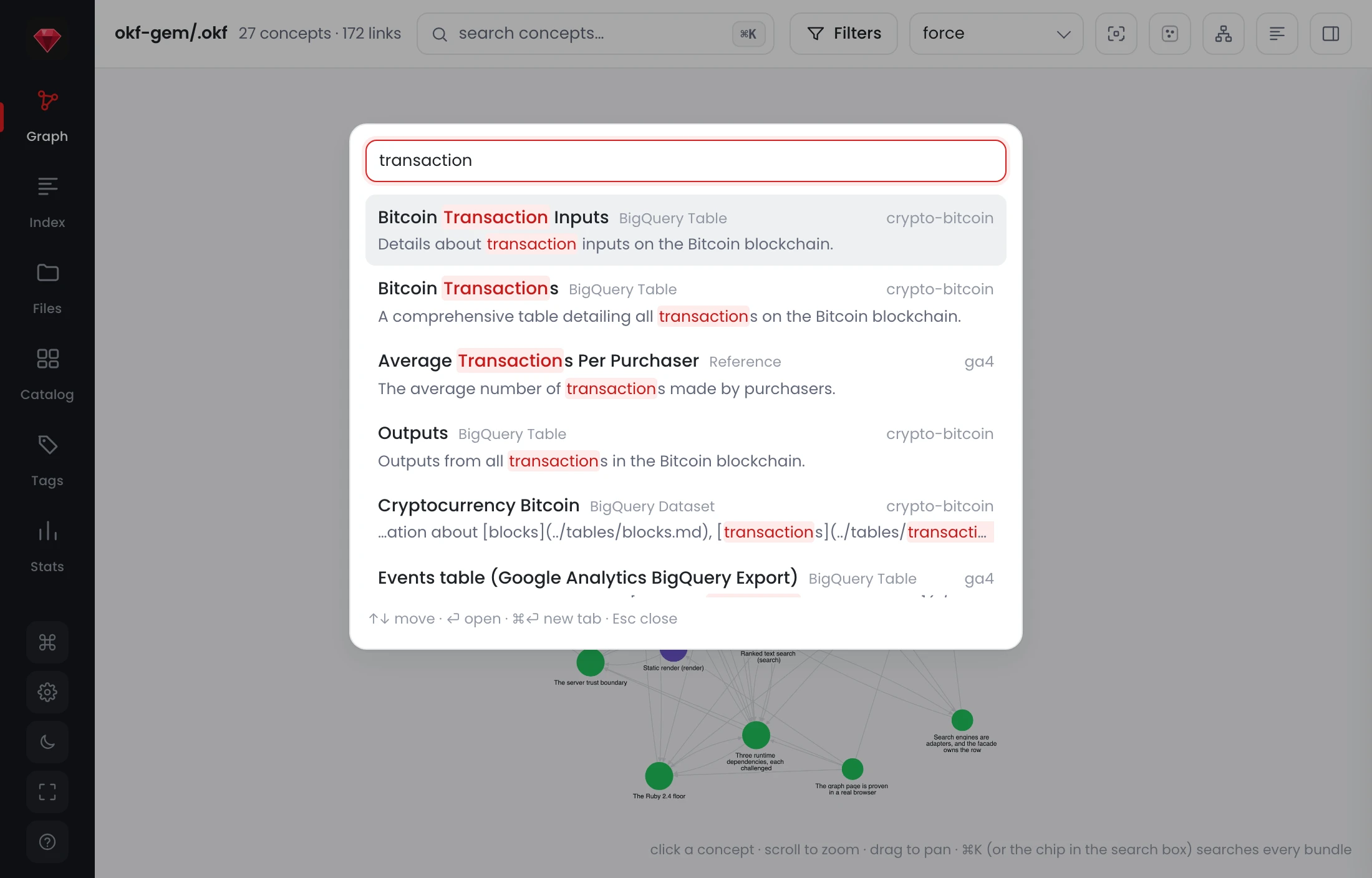
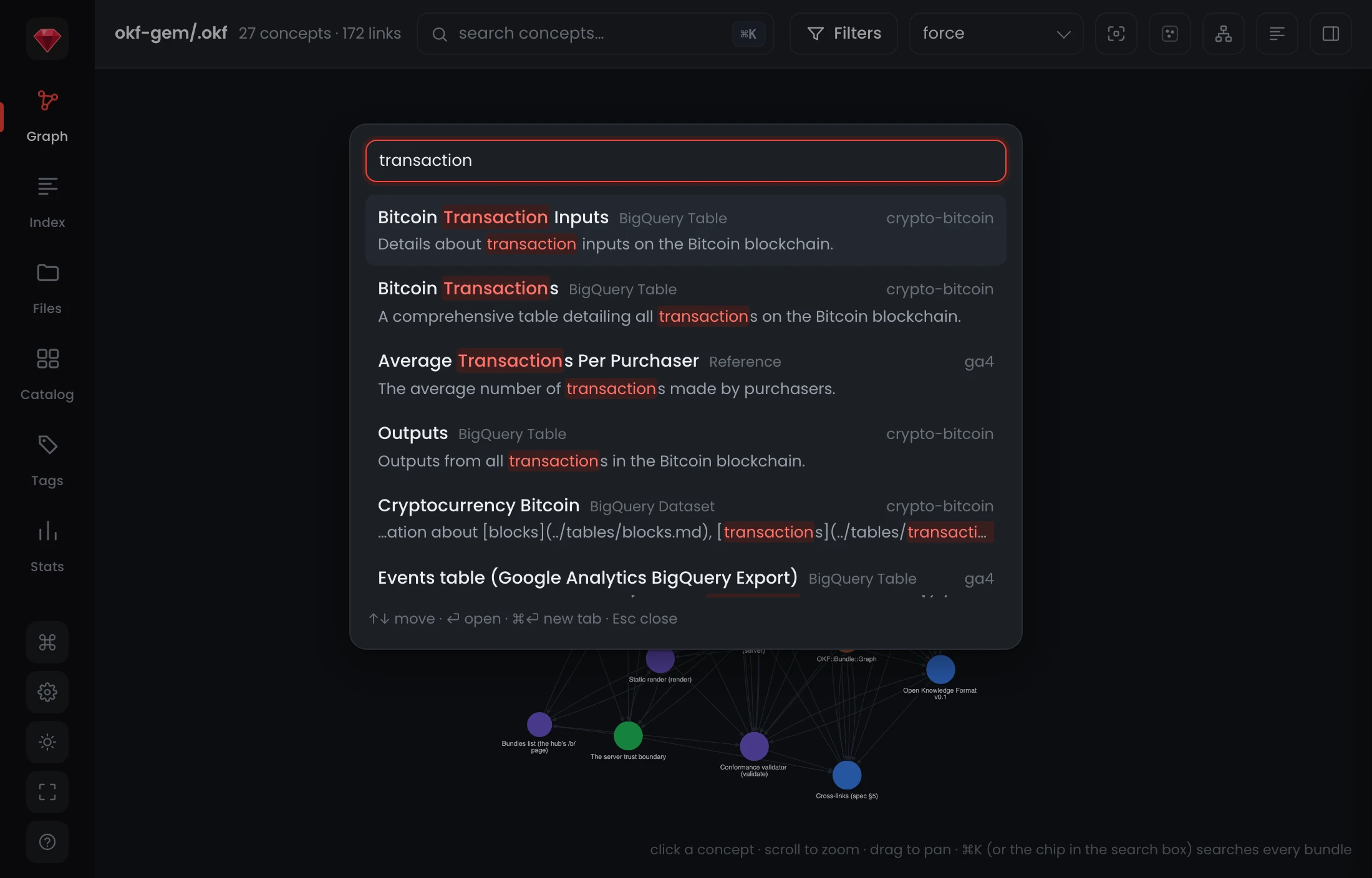
One index, not four lists
The obvious way to build this is to ask each bundle in turn and concatenate what comes back. That is also the way that produces a ranked list nobody can trust, because a score is only meaningful against the corpus it was computed over. Four separate rankings glued end to end put a bundle's best local hit above another bundle's far better one for no reason a reader could ever see.
So the hub ranks one index over every bundle it hosts, all at once. A term that is rare across the whole corpus counts for more than a term that is everywhere, which is what the index engine 1.9.0 added is for and what per-bundle lists cannot express. What you get back is an order you can trust: the best answer on the machine is the top row, whichever bundle happens to hold it. Results cap at 50 and the total is reported alongside them, because a silent cap reads as a complete answer and a reader who thinks they have seen everything stops looking.
The box and the palette do different jobs, and now they say so
The graph page has two search surfaces that looked alike and meant different things. The box in the topbar filters the graph in front of you. Cmd-K finds, across every bundle. The box carried neither fact, so it emptied the canvas in silence and never mentioned the other one.
Three things now live inside the box: the chord that opens the palette, a live 4/27 count so an empty result reads as a number that reached zero rather than a view that went blank, and, on zero, a panel naming the bundle and the query with the cross-bundle search one keystroke away.
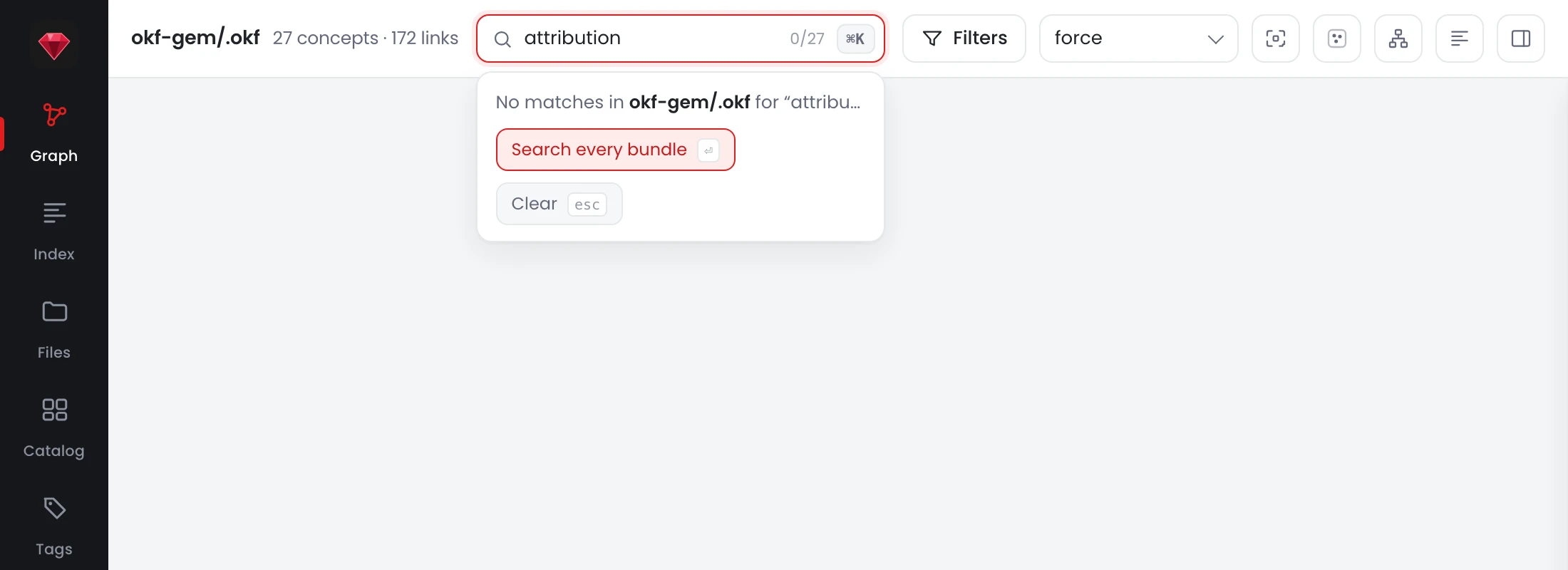
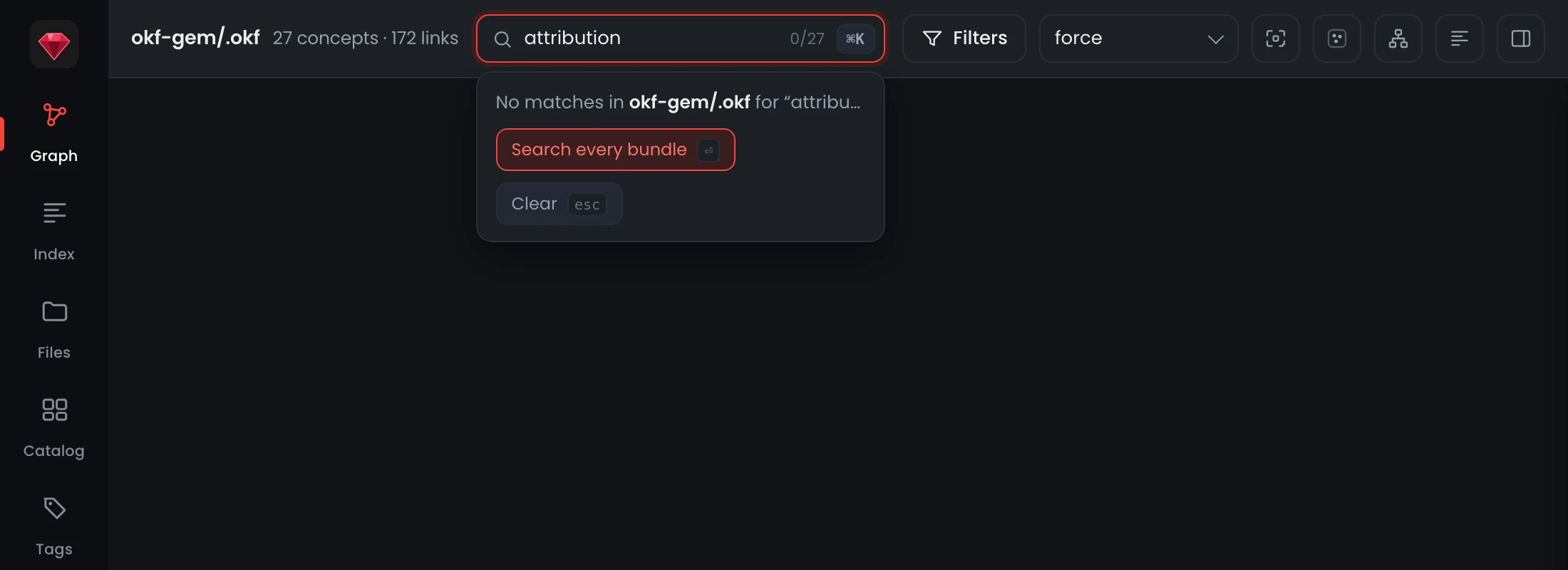
A blank canvas cannot tell you whether the graph is empty, the filter is broken, or the page fell over. 0/27 can: the filter ran, here is what it ran against, and the answer is genuinely nothing. Enter hands the query to the cross-bundle search with it already typed, and Escape clears.
The registry moved into the page it describes
Registering a bundle has always been an agent's job at a terminal. Reading one is not. A meeting with non-technical readers settled the split: okf registry set is the right surface for the people who write bundles and the wrong one for the people who only read them.
So the rail grows a gear, and behind it the Bundles panel: every bundle the server knows about, with its @slug, its folder, its concept count and a health verdict, and the three changes worth making from a chair.
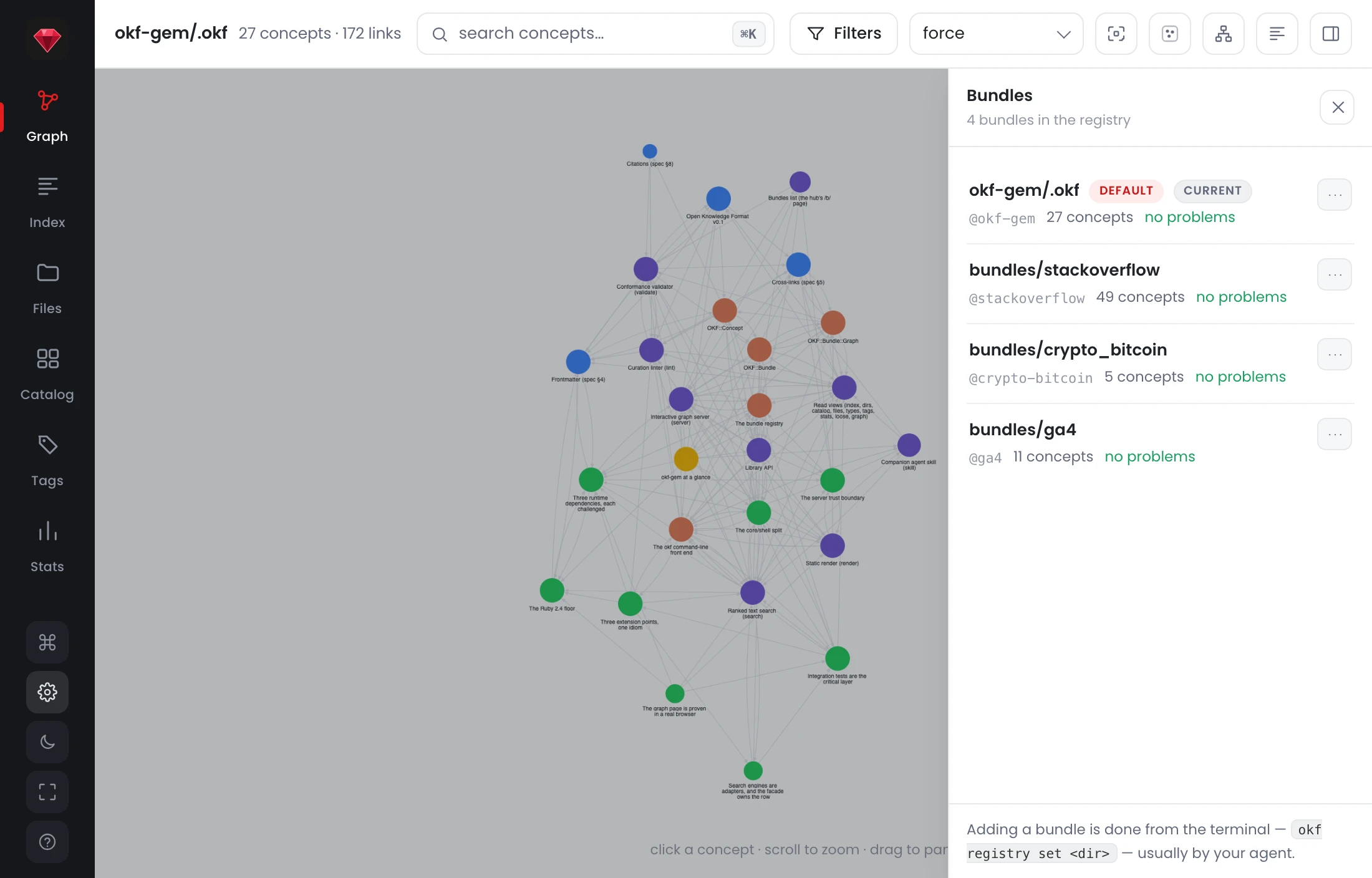
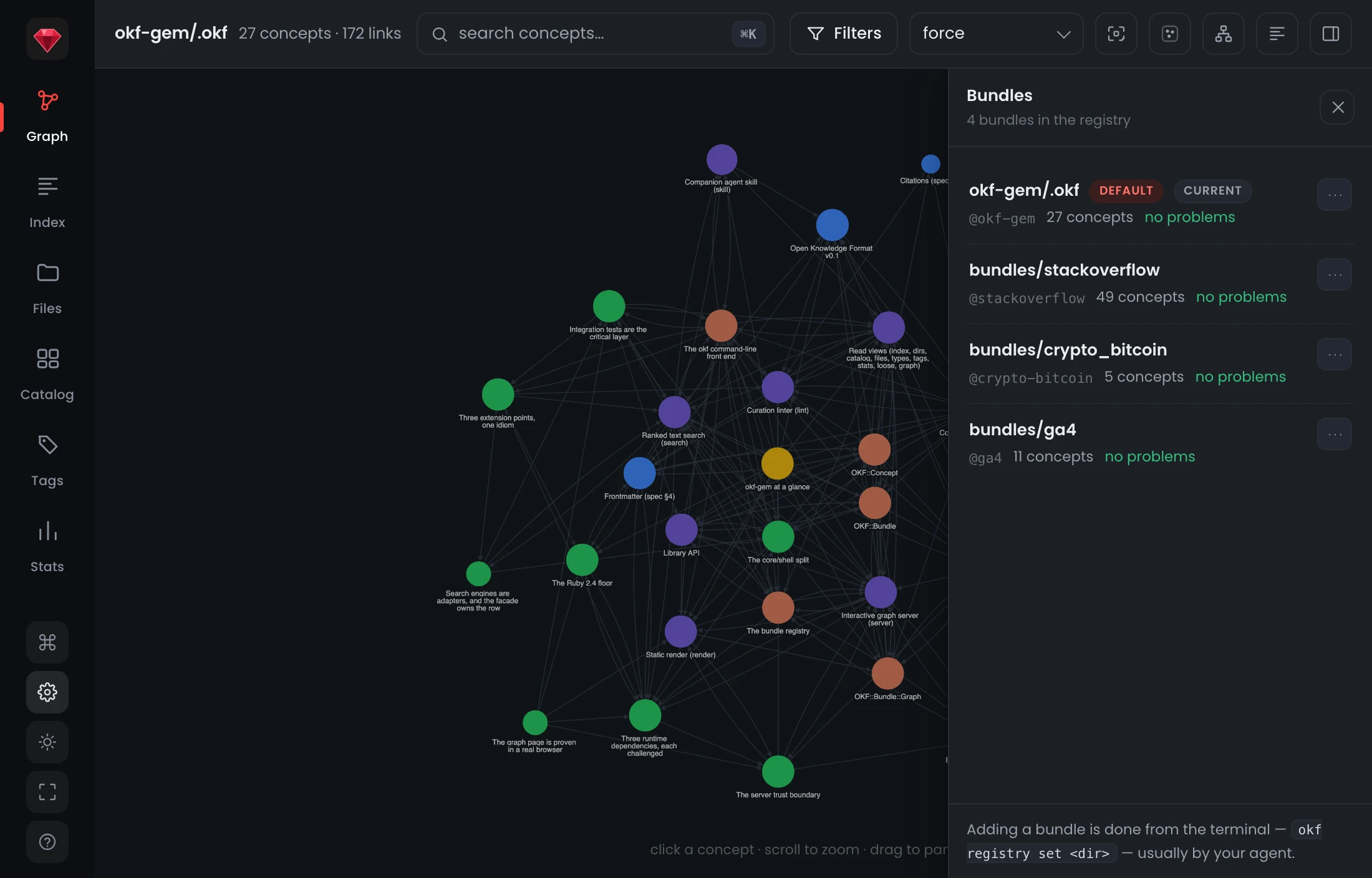
Make this the default, rename it, remove it. Management is the default and --read-only declines it, because the audience this was built for should not need a command line to use the page they were handed a link to. If you host the hub for other people, that flag is the one to know. The safety comes from where the server is bound rather than from what you remembered to pass: a loopback bind is writable, any other address is refused outright, and there is no flag that opens it. Adding still happens at a terminal, because a browser cannot hand over a filesystem path.
refine, the third authoring verb
The agent skill had two verbs for keeping a bundle honest: curate keeps the structure sound as it stands, maintain keeps the content true. Neither one asks the harder question, which is whether the knowledge is in the right place at all.
refine does. It restructures a bundle to get the value OKF is designed to give: progressive disclosure, an emergent graph, cross-cutting tags, capture once and link many. It is evidence-first, it prefers cohesion to balance, it reaches for the free levers before it moves a file, and it proposes rather than applies, handing back a report and an execution prompt you can read before anything changes.
Two read views make its evidence mechanical rather than eyeballed. okf graph --hubs ranks every concept by inbound links and groups them by where those links came from:
$ okf graph --hubs @okf-gem
Hubs — @okf-gem (26 of 27 concepts with inbound links)

  capabilities/graph-server     ×14   capabilities 5, (root) 3, design 3, model 2, format 1
  capabilities/search           ×11   design 5, (root) 3, capabilities 3
  cli                           ×11   capabilities 5, design 3, (root) 2, model 1
A hub whose inbound majority comes from somewhere other than its own area is a concept living in the wrong directory, and the row says so. And okf tags --by rows now carry count/total, so cli 2/8 tells you at a glance that this tag is a concern spread across the bundle rather than a label local to one area.
Anyone can add a verb
okf is extensible now. Install a gem named okf-* and the verbs it carries show up in okf help under installed extensions:, dispatched like a built-in. Installing the gem is the whole installation: there is no list of blessed addons and nothing for you to configure. A broken addon is skipped and reported rather than taking the CLI down with it, and a built-in verb costs nothing extra to run.
Upgrading
gem update okf
okf server            # every registered bundle, one search
The full entry is in the changelog. If you host the hub for other people, --read-only is the flag to know about; if you author bundles, refine is the one to try next.